
Managing broadcast schedules is no small feat. Producers and planners juggle multiple productions, tight deadlines, last-minute changes, and a growing number of remote collaborators — all at once. Without the right tool, keeping everything aligned is a constant struggle.
Cloud-based broadcast scheduling software changes that. By centralising your schedule in the cloud, teams get real-time visibility, seamless collaboration, and the flexibility to work from anywhere. Updates happen instantly. Everyone stays on the same page.
This guide walks through the top cloud-based tools on the market and helps you find the right fit for your team — whether you're running a tight two-person operation or managing a large, multi-project broadcast management workflow.
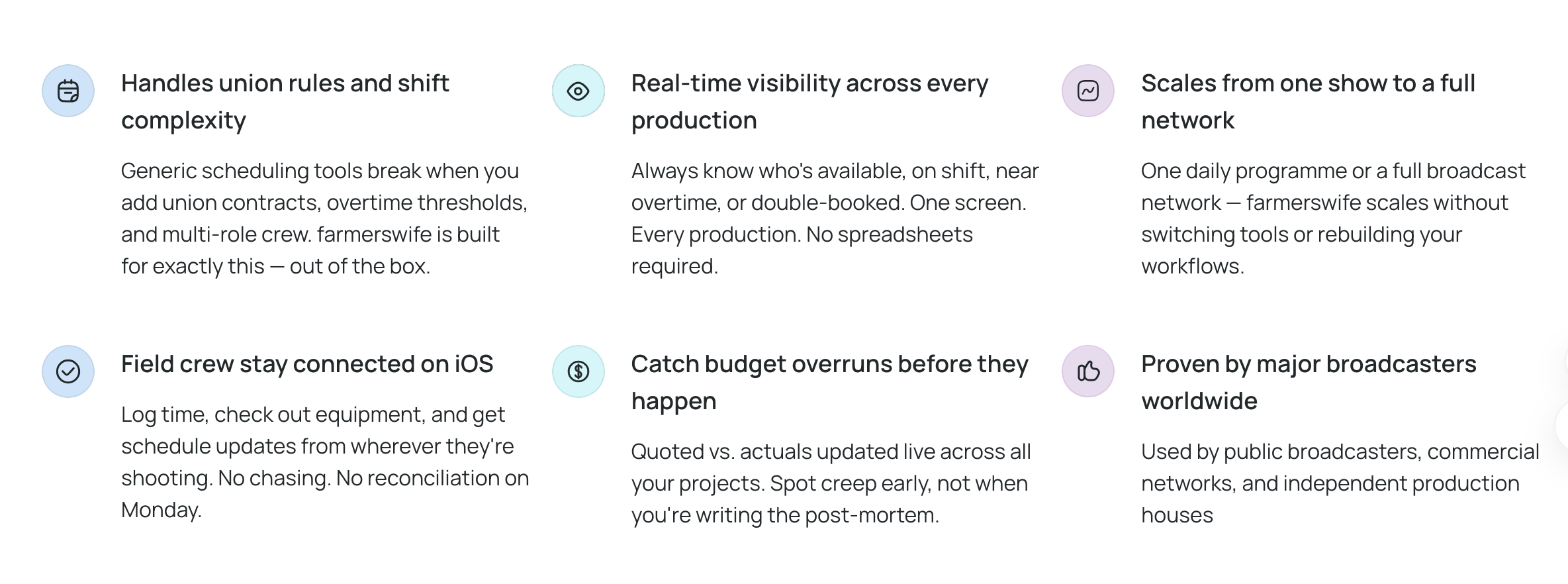
- Real-time visibility
- Scales with your workflow
- Keep your crew connected on iOS
- Catch budget overruns before they happen
- Plan with confidence
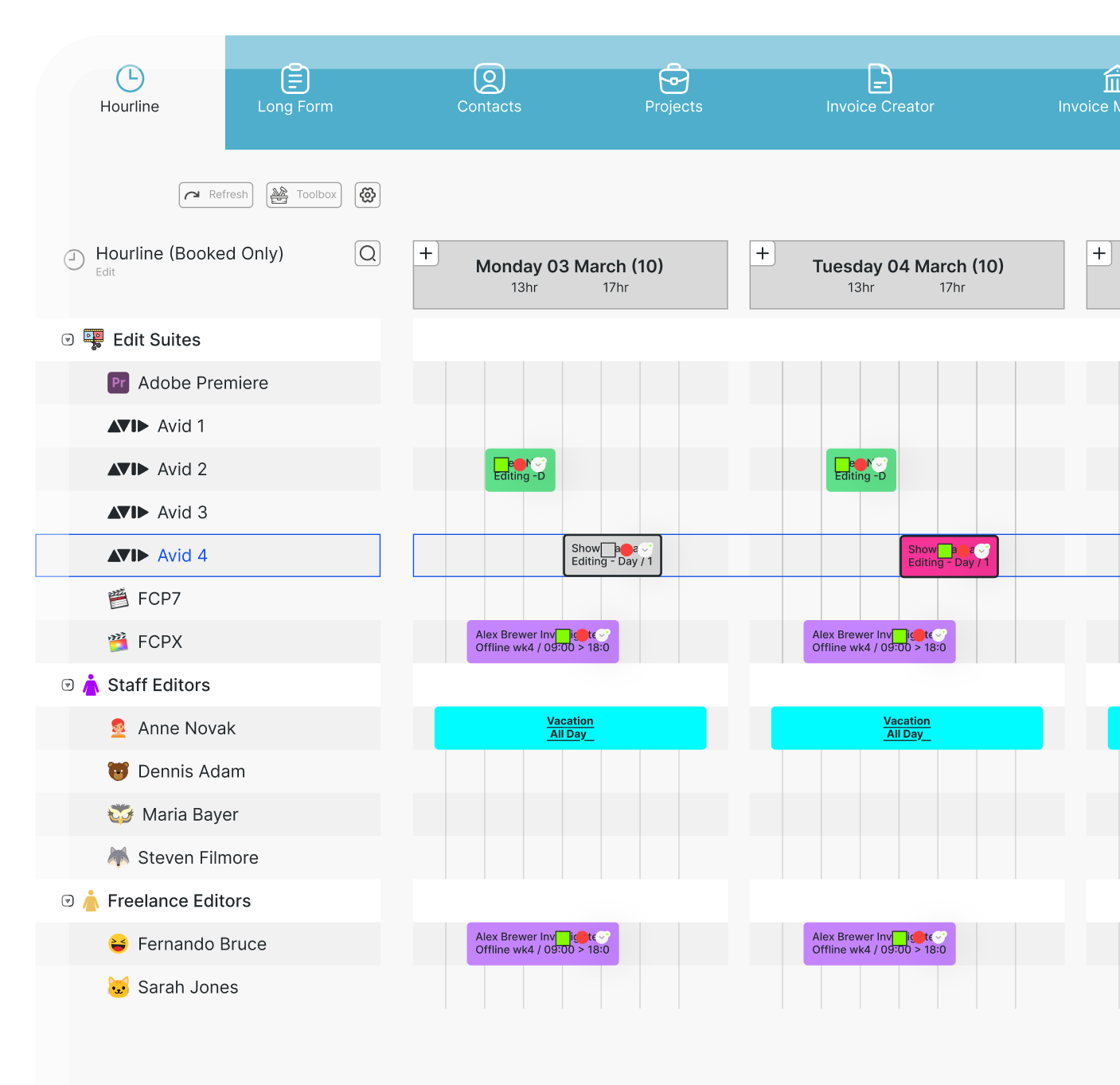
Why producers and planners need software that's easy to adopt
Broadcast professionals don’t have time to waste. The best broadcast management software should include a few essential elements that make it easy for teams to adopt and start using right away:
Easy adoption isn’t just a convenience. It determines how quickly your team starts seeing value from the software — and whether they continue using it over the long term.
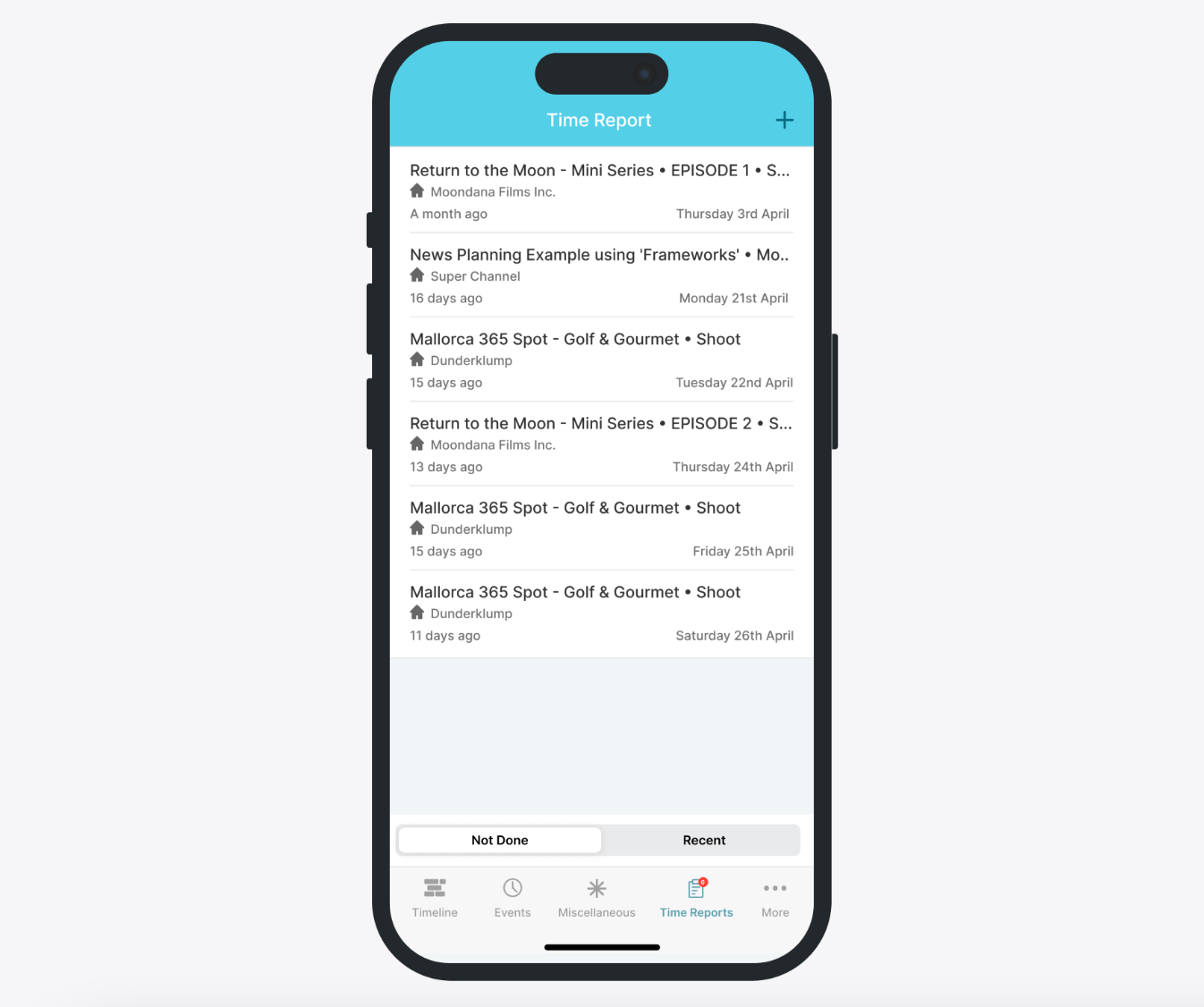
Key features to look for in cloud-based broadcast scheduling software
Not all broadcast scheduling software is built for the demands of broadcast. When evaluating your options, focus on features that genuinely reduce workload and improve team coordination.
Scheduling flexibility
Broadcast schedules change constantly. Your software needs to handle that — including the ability to customise time slots, drag-and-drop rescheduling, and managing multiple productions in parallel without things falling through the cracks. Whether you’re managing film production scheduling or a live broadcast lineup, flexibility is non-negotiable.
Real-time collaboration
With crews, clients, and stakeholders often spread across different locations and time zones, real-time collaboration is essential. Look for tools that allow multiple users to view and edit schedules simultaneously, with changes reflected immediately across every device.
Automated notifications and alerts
Missed deadlines and last-minute surprises can derail entire productions. Automated alerts for schedule changes, approaching deadlines, and resource conflicts keep your team proactive rather than reactive. This is especially important in broadcast management systems where a single missed update can cascade through the entire workflow.
Integration with other tools
Broadcast management software doesn’t operate in isolation. Your scheduling software should integrate with media asset management systems, finance tools, and communication platforms so that information flows freely across your workflow — much like effective process management strategies require joined-up systems to work.
Mobile access
Mobile-friendly software, whether through a dedicated app or a responsive browser interface, ensures that no one is out of the loop, regardless of where they're working.
Top cloud-based broadcast scheduling software: a quick overview
Several tools offer scheduling and resource management capabilities that broadcast teams can use. However, many of them were originally built for general project management or resource planning rather than the realities of broadcast production. As a result, they can work well for certain teams — but often lack the depth required for complex broadcast workflows.
Float
Float is a visual resource management and scheduling tool known for its clean interface and drag-and-drop timeline. It provides a simple way to see who is working on what and when, which makes it appealing for teams looking for straightforward scheduling.
However, Float is designed primarily for general resource planning rather than broadcast management. Teams working in more complex broadcast or production environments may find they need additional tools for areas such as project tracking, financial oversight, and workflow management.
WideOrbit
WideOrbit is widely used in traditional broadcasting environments, particularly for ad scheduling and traffic management. It offers robust tools for managing broadcast advertising workflows and compliance requirements.
Its core focus, however, is on broadcast traffic and advertising operations. Teams looking to manage the full lifecycle of production — including scheduling, resource management, project tracking, and financial reporting — may need complementary systems to support those broader workflows.
Resource Guru
Resource Guru focuses on resource allocation and team scheduling. Its interface is simple and easy to learn, making it attractive for teams that want quick visibility into who and what is booked.
While this simplicity can be beneficial for smaller teams, organisations managing more complex broadcast production workflows may require additional tools for integrated project management, workflow tracking, and financial oversight.
Amagi
Amagi is a cloud-native broadcast platform designed for content distribution and channel management. It provides tools for playout automation, ad insertion, and managing live and on-demand channels at scale.
However, Amagi is primarily focused on content delivery infrastructure rather than internal production scheduling and resource management. Teams looking to coordinate day-to-day production workflows may therefore use it alongside other scheduling or project management systems.
farmerswife
farmerswife was built specifically for the complexity of media production and broadcast workflows. As a broadcast production management tool, it connects scheduling, resource management, project tracking, and financial oversight within one unified system.
This allows teams to manage overlapping productions, shared resources, changing schedules, and client deliverables from a single platform. Its customisable broadcast scheduling tools adapt to the way production teams actually work, providing real-time visibility across the entire operation.
For production companies, post-production facilities, and broadcasters managing multiple projects simultaneously, farmerswife provides a level of integration and operational control that more narrowly focused tools often struggle to match.
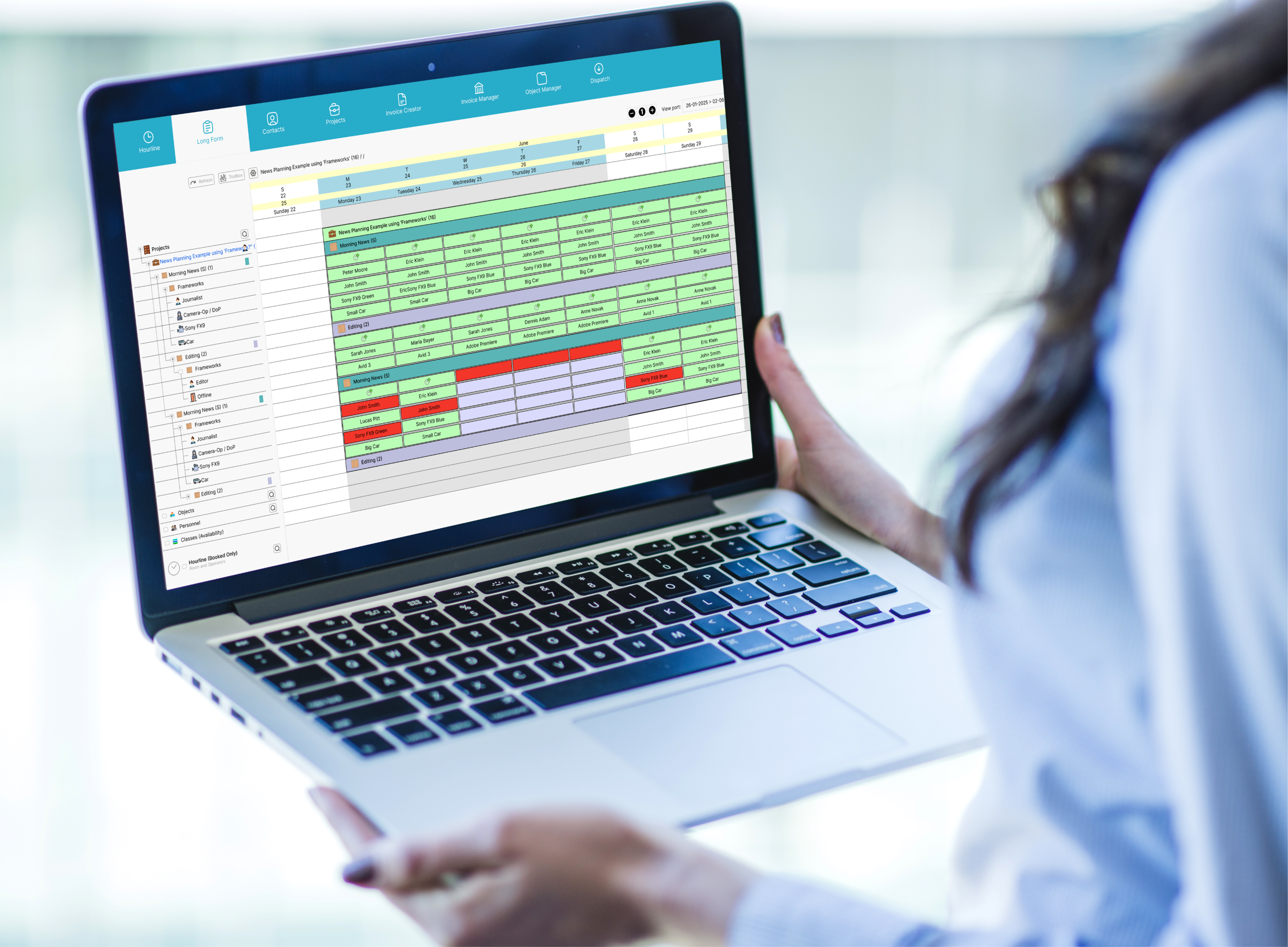
How to evaluate the best software for your team
Choosing the right broadcast management software comes down to understanding your team's specific needs — not just what a tool can do in theory, but how it fits into how you actually work. Here are the four dimensions that matter most.
Team size and scalability
The software that works for a five-person team often buckles under the demands of a fifty-person operation. Ask whether the platform can scale with you — more users, more projects, more complexity — without requiring a costly migration down the line.
farmerswife is built to grow with your team. Whether you're a lean production unit or a large multi-department broadcaster, the platform handles expanding workloads without losing visibility or control. Its architecture supports growing teams that need consistent broadcast management across multiple simultaneous productions — something many simpler tools simply can't sustain.
This scalability matters even if you're small right now. Switching systems mid-growth is expensive and disruptive. Choosing a platform that can accommodate where you're heading — not just where you are — saves significant time and cost in the long run. It's also worth considering how the tool handles project management for startups or growing studios that are finding their footing.
Specific needs: content management, collaboration, and resource allocation
Different teams need different things. A post-production house has different pain points than a live broadcast team. Before committing to any tool, map out your actual workflow. Where do things break down? Where does time get lost?
Common requirements include real-time collaboration across dispersed teams, crew, equipment, and studio scheduling to avoid double-booking, an integrated post-production schedule, content tracking from commission to delivery, and financial reporting tied to project activity.
farmerswife covers all of this in one place. Most competing tools address one or two of these needs. farmerswife addresses the full picture — which is why it's trusted by broadcasters, production companies, and post-production facilities that can't afford gaps in their workflow. When your team's needs are complex, a single integrated broadcast management system is always more reliable than a patchwork of disconnected tools.
Ease of use vs feature depth
When choosing project management software, teams often face a familiar trade-off: ease of use versus feature depth. Simpler tools are quick to learn and easy to deploy, but they can reach their limits quickly. More advanced platforms offer greater flexibility and control, though they typically require more time for setup and onboarding. The key question is which balance best supports your team’s workflow.
For broadcast and production teams, the reality is often far more complex than basic scheduling. Managing overlapping schedules, resource conflicts, client deliverables, and financial tracking requires project management software with deeper capabilities.
That’s where a platform like farmerswife stands out. Its functionality is designed specifically for production environments, giving teams the tools they need to manage complex workflows without unnecessary friction.
Cost vs benefit
When evaluating cost, look at the full picture: how much time does your team spend manually chasing schedule updates? How much does a missed deadline cost? How much friction exists between your current tools? A proper broadcast management system doesn't just save time — it protects revenue by keeping productions on track and teams aligned.
farmerswife consolidates what many teams currently handle across multiple tools — scheduling software, resource management, project tracking, and financial reporting. That consolidation alone often delivers a strong return on investment, before you factor in the productivity gains from better visibility and fewer dropped balls.
Which cloud-based broadcast scheduling software is right for you?
Choosing the right broadcast scheduling software depends on your team’s size, the complexity of your productions, and how your workflows are likely to evolve over time. The tools covered above each offer different strengths, so the best choice comes down to the needs of your operation today — and where you expect it to be in the future.
For smaller teams, tools like Resource Guru or Float can work well if your needs are relatively straightforward and you’re primarily focused on basic scheduling and visibility.
For larger teams or more complex broadcast environments, a more comprehensive system becomes essential. Production companies, post-production facilities, and broadcasters often need scheduling, resource management, project tracking, and financial oversight to work together in one place. That’s where a platform like farmerswife stands out.
Unlike tools designed for general project planning, farmerswife was built specifically for production and broadcast workflows. It brings scheduling, resources, projects, and financials into a single integrated system, helping teams avoid the inefficiencies that come from juggling multiple disconnected tools. Flexible, scalable, and designed for real-world production complexity, it’s trusted by broadcasters and production companies around the world.
The best way to understand which solution fits your workflow is to see it in action. B ook a demo with the farmerswife team to see how it can streamline your broadcast scheduling and production management from first commission to final delivery.