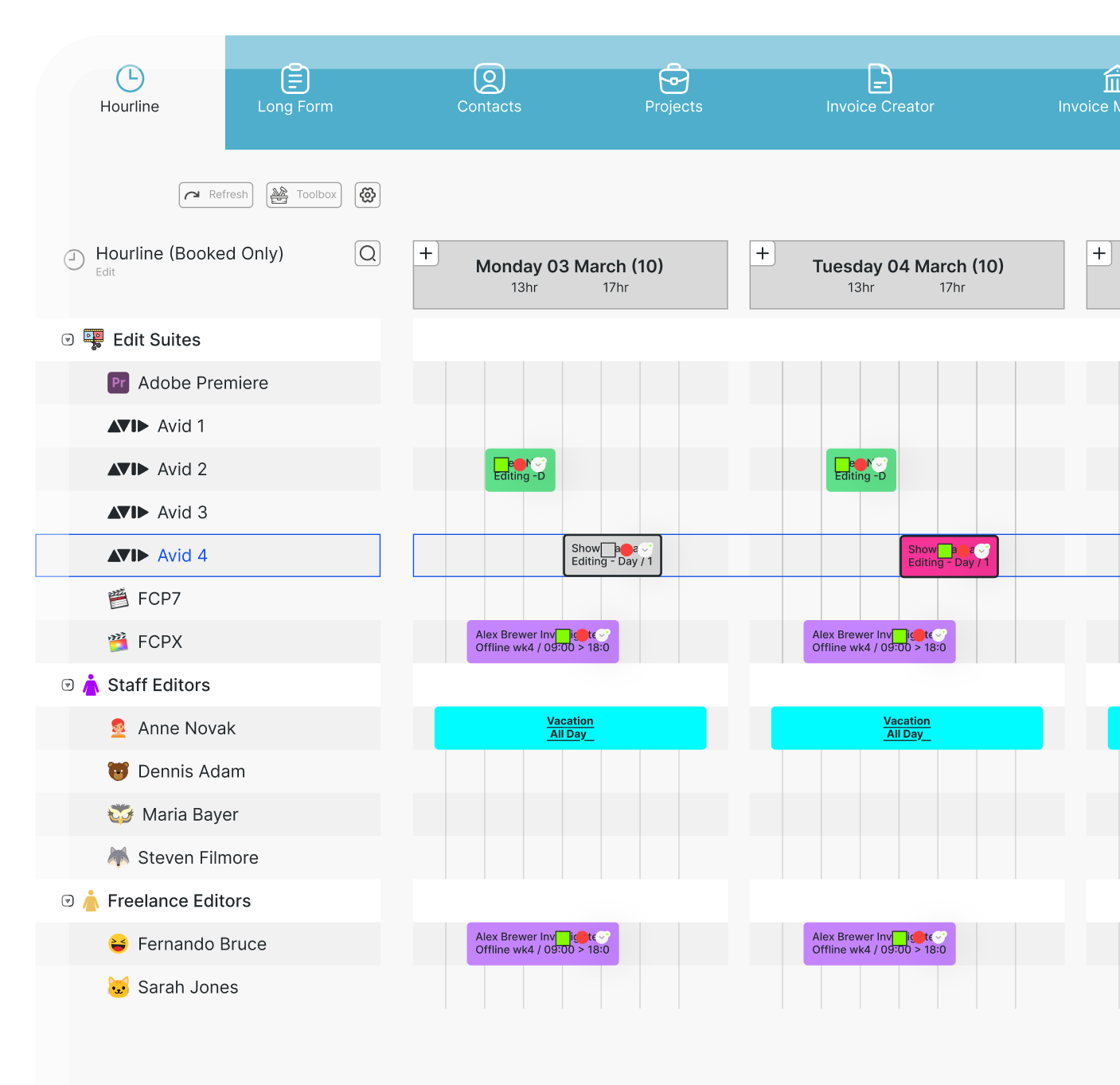
We're excited to share our latest update of farmerswife. This release brings major additions like Audit Logs and Microsoft Entra ID SCIM provisioning, further Timeline improvements, a new Booking email option, enhanced budgeting tools, financial integrations, and workflow refinements throughout the application.
Here's a look at some of the highlights.
AI Assistant
Our new AI Assistant is the first step towards bringing intelligent assistance directly into farmerswife. Use natural language to search for objects and resources, find upcoming events and bookings, check the availability of people, equipment, and studios, or query project information. It also provides instant, conversational access to the farmerswife Knowledge Base, helping users quickly find answers, discover best practices, and become more productive. Learn more about the farmerswife AI Assistant.
Audit Logs 🕵️
The new Audit Log system provides administrators with a comprehensive record of key configuration and user activities, making it easier to meet compliance requirements and troubleshoot changes. These audit logs can be exported for a selected date range as CSV.
Read more.
Timeline on the move 🎢
The Timeline continues to evolve with several new productivity improvements, like Object Utilization Calculations that provide a more accurate representation of confirmed bookings while intelligently excluding shifts and handling all-day bookings.
A new sorting option groups personnel according to their earliest assigned shift, making it easier to identify teams working together throughout the day. Learn more about Shift Management here. Or contact support@farmerswife.com for an introduction!
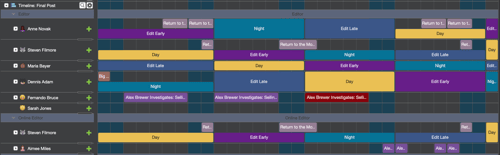
Long Form Timeline PDF exports now include custom title text and configurable date ranges making printed schedules more informative and presentation-ready.
Containers can now be loaded directly into the Timeline and you can display the "Container Name" in the booking text option
Budgeting 💰 Improvements
We’ve introduced a new optional Auto Save mode, so if the window closes while you’re away from your desk, your changes will still be saved securely.
For users who don’t attach actuals to their budgets, the Actuals window can now be hidden completely for a more focused budgeting experience.
To make managing multiple Budget Templates easier, you can now sort your Global Budget Templates manually or alphabetically, so they appear in the order that works best for you.
Smarter Searches 🔎 & Bulk Editing ⏩
Managing large datasets is now easier than ever.
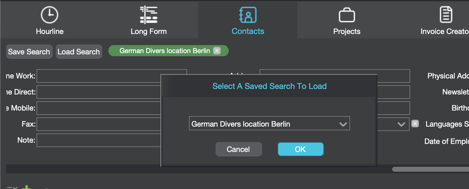
In the Advanced Contact Search you can now save and reload search queries, use the new green + symbol to easily create new contacts and also bulk update Division and Active status across multiple contacts.
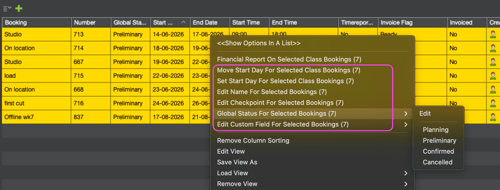
After introducing bulk editing Project fields in the Advanced Project Search in 7.3, Users can now bulk edit Booking information, including Booking names, Checkpoints, Custom fields and move start dates. An additional search option allows Sub-Binder bookings to be included when searching for Binders.
Microsoft Entra ID SCIM User 😎 Provisioning
Organizations using Microsoft Entra ID can now take advantage of SCIM push provisioning. Unlike the existing Microsoft Graph connector, SCIM allows Entra ID to automatically provision users and groups directly into farmerswife without requiring tenant-wide Microsoft Graph permissions.
Xero Online Integration
Version 7.4 introduces a new licensed integration with Xero Online, allowing organisations to send invoices directly from farmerswife, synchronise invoice payment status and simplify accounting workflows.
For more information and pricing please contact sales@farmerswife.com.
Easily ship your Booking Report Emails 📤
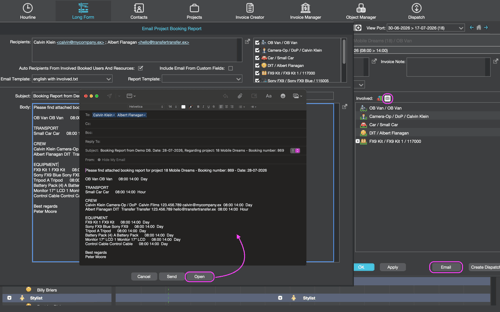
The Booking Report email window has been redesigned, allowing automatic recipient selection or selecting from involved-object selection panel. Users can save and edit email templates directly from the client application and the template supports new variables from the involved objects. The window can also easily be accessed from the 📤 icon or the "Email" button on the Edit Booking window.
Dashboard 📊 Improvements
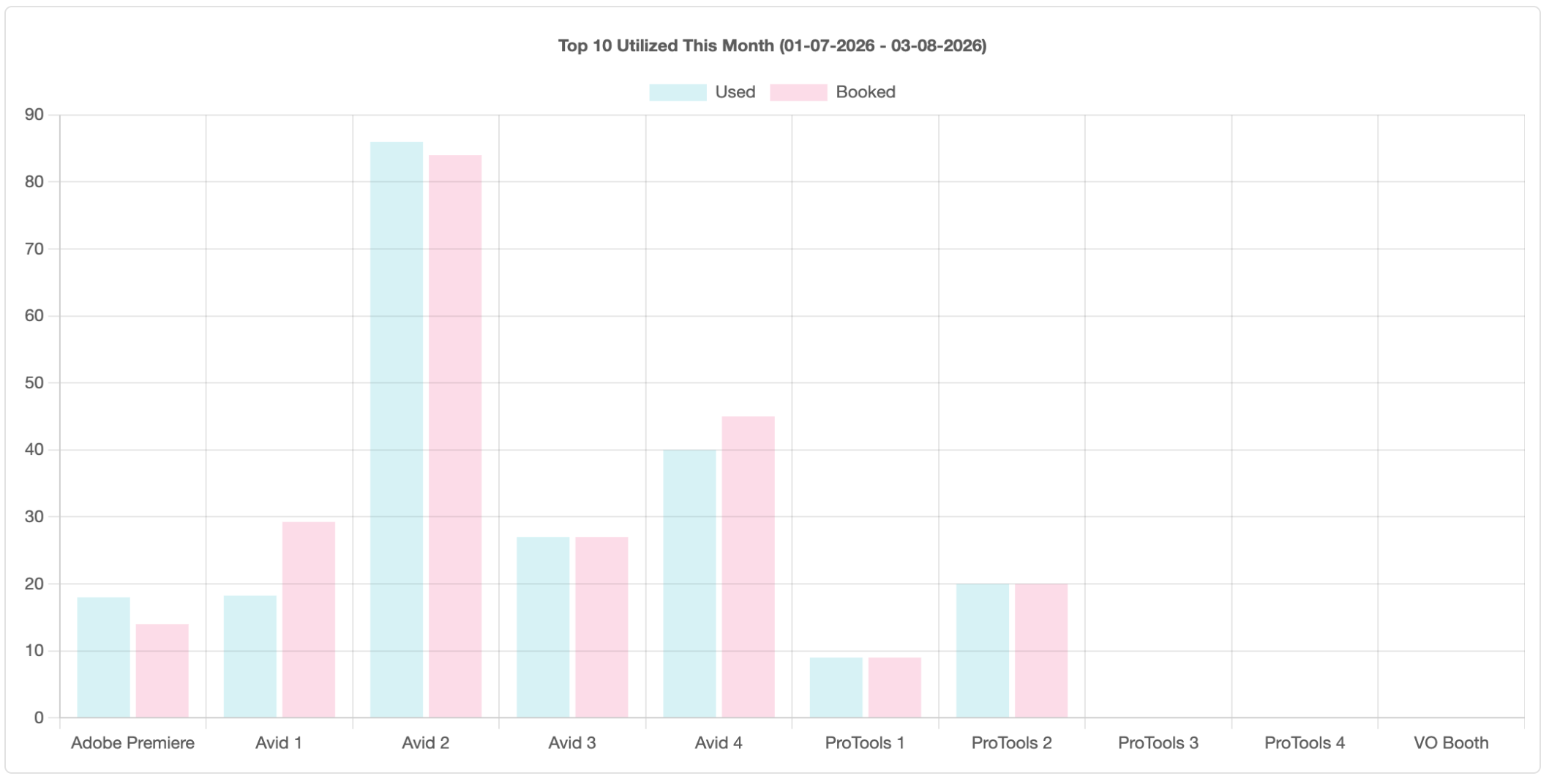
Introduced in version 7.3, dashboards now let Utilisation graphs distinguish between Used, Booked, and Used & Booked figures, giving managers greater flexibility when analysing resource usage.
Part invoicing of cash discounts arrived
Invoice management now includes the possibility to Part Invoice Cash Discount Sell Operators, This helps ensure invoices reflect the correct discount structure while reducing manual adjustments and supporting accurate financial reporting.
For complete documentation and feature details, visit the farmerswife Knowledge Base or take a look at the Release Notes.
- Real-time visibility
- Scales with your workflow
- Keep your crew connected on iOS
- Catch budget overruns before they happen
- Plan with confidence