In media production, plans can change in minutes. A crew member calls in sick, a studio booking runs over, equipment becomes unavailable, or a client requests an urgent change. Suddenly, the entire production schedule needs adjusting.
For production managers and broadcast teams, these unexpected changes can affect crew availability, equipment bookings, production budgets and delivery deadlines. Scheduling automation helps media production teams handle last-minute changes by connecting schedules, resource availability and production workflows in one place. It allows teams to identify conflicts, adjust bookings and keep everyone working from the latest information.
Instead of spending hours updating spreadsheets and checking availability across different departments, production managers can focus on finding solutions and keeping projects moving.
Why last-minute changes create challenges for media production teams
Last-minute changes are part of everyday media production. Whether it's a live broadcast, a commercial shoot or a post-production project, even a small adjustment can affect multiple teams and resources. A recording running an hour late might delay the next studio booking. An unavailable editor could push back a delivery deadline. A last-minute client request might require additional crew, equipment or editing time.
The challenge isn't simply updating one booking. It's understanding how that change affects the rest of the production.
This is where automated production scheduling becomes valuable. By giving production managers better visibility into resource availability and existing bookings, it helps them respond to changes before they turn into bigger problems.
Managing changing schedules, crews, and resources
Media production scheduling involves much more than managing dates and deadlines. Production managers need to coordinate crew members, studios, editing suites, cameras, equipment and locations, often across several projects at the same time.
Imagine a production team preparing for a studio recording. The studio, camera operators, lighting equipment and technical crew are all booked.
Then, just hours before filming, the director requests a different time.
The production manager now needs to:
Without a connected system, coordinating these adjustments can take considerable time. With production scheduling software, teams can review availability, update bookings and coordinate resources from a shared scheduling environment.
The limitations of manual scheduling processes
Many production teams still rely on spreadsheets, shared calendars, emails and messaging apps to organise their schedules. These tools may work for smaller productions, but they become harder to manage as projects grow and more resources are involved.
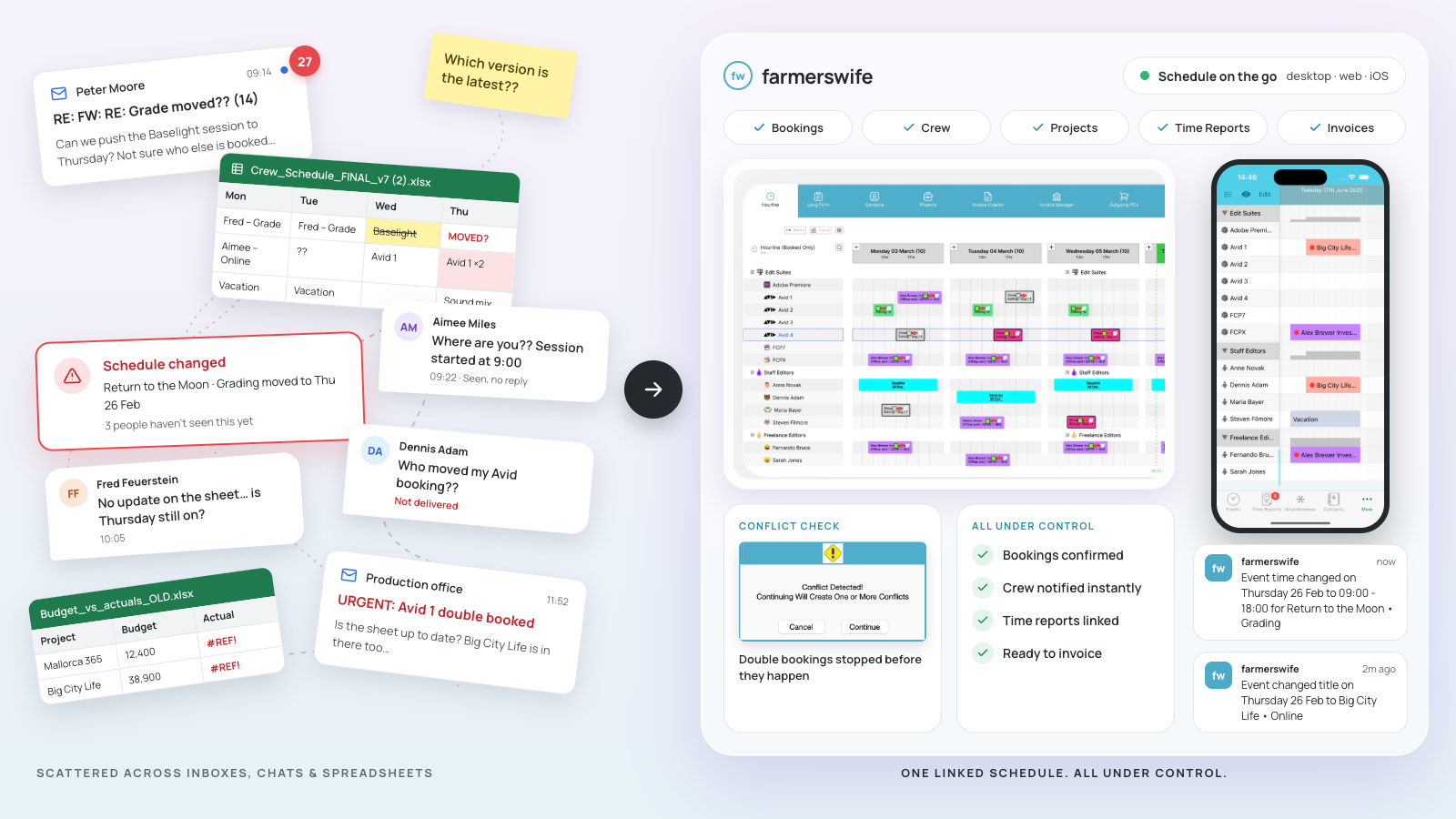
For example, a production manager might update a spreadsheet with a new studio booking but forget to inform the equipment team. Meanwhile, another scheduler could be working from an older version.
The result? Double-bookings, unnecessary emails, delays and confused teams. Manual scheduling also makes it difficult to get a complete picture of resource availability across multiple projects.
Production scheduling automation reduces these challenges by bringing bookings and resource information together, helping teams make changes without constantly switching between tools. Automation doesn't replace the production manager. It provides the visibility and information needed to make faster, better-informed decisions.
How broadcast teams manage last-minute production changes
Broadcast production relies on precise timing and coordination. Live overruns, crew changes, equipment conflicts or unexpected production requirements can quickly disrupt schedules, especially when working around fixed transmission times.
For example, if a live programme runs late, the studio and equipment booked for the next production may no longer be available. Teams need real-time visibility to check alternative resources, adjust bookings and keep everyone informed.
Flexible live broadcast production software helps teams respond quickly to changes and minimise disruption.
A practical approach involves four steps:
- Identify the change: Check which bookings and resources are affected.
- Check availability: Find alternative crew, equipment, studios or time slots.
- Adjust the schedule: Update bookings and check for conflicts.
- Keep teams informed: Share the latest confirmed schedule.
How scheduling automation helps teams adapt faster
Scheduling automation makes last-minute production changes easier to manage by connecting resource availability, bookings and schedules in one shared system.
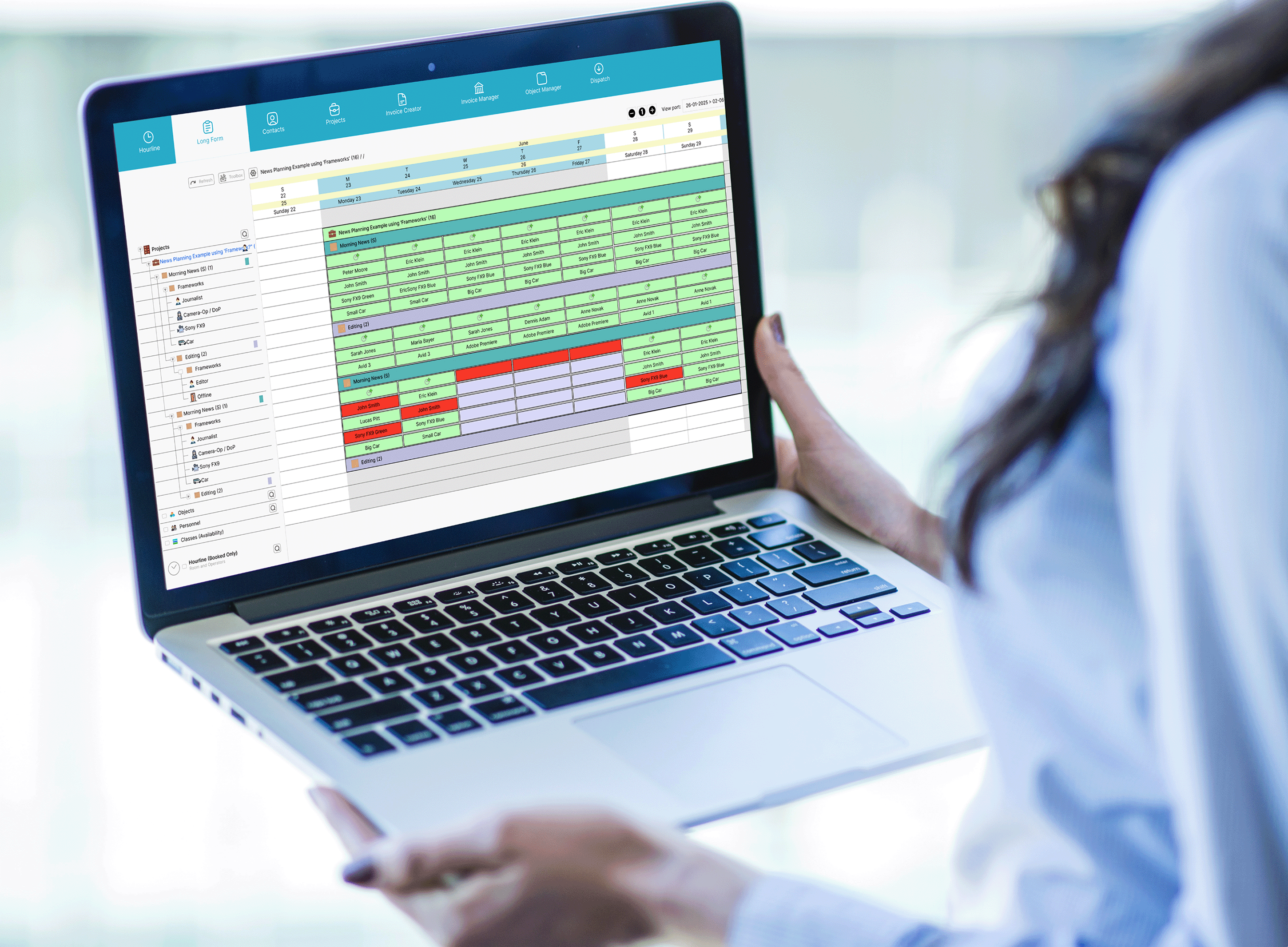
With effective broadcast production management, production managers can quickly check availability, identify conflicts and adjust bookings without relying on multiple spreadsheets or contacting different departments.
The goal isn't to automate every decision, but to reduce manual tasks, improve coordination and give teams greater control over their schedules.
Updating schedules and keeping teams aligned
When production plans change, everyone needs access to accurate information. This includes production managers, schedulers, technical crews, editors and other teams responsible for delivering the project.
A centralised scheduling system allows authorised users to update bookings and share the latest schedule without maintaining multiple versions. For example, if a filming session moves from Monday to Tuesday, the production manager can adjust the booking and review the associated crew, equipment and studio requirements.
Once the changes are confirmed, the updated schedule becomes the shared reference for everyone involved. This is particularly useful for productions involving multiple departments, facilities or locations.
The result is less time checking schedules and more time keeping production moving.
Reducing conflicts with better resource visibility
One of the biggest advantages of scheduling automation is knowing what resources are available before confirming changes. Without this visibility, production managers risk assigning the same crew member, camera kit or editing suite to overlapping projects.
A connected scheduling system makes potential conflicts easier to identify and gives teams the information needed to find alternatives.
Effective production resource management gives teams greater visibility into resource availability, utilisation and potential booking conflicts. This helps production managers make decisions with confidence rather than discovering issues after bookings have been confirmed.
Key benefits of automated production scheduling
Automated production scheduling offers more than time savings. It helps media organisations manage resources, improve communication and maintain more flexible production workflows.
Here are some of the main benefits:
1. Faster responses to last-minute changes
Review schedules, check availability and adjust bookings without manually updating multiple systems.
2. Fewer scheduling conflicts
Identify overlapping bookings and potential resource clashes before they disrupt production.
3. Better communication between teams
Give production, technical and post-production departments access to accurate scheduling information.
4. Improved resource utilisation
See when crews, studios and equipment are available and allocate resources more effectively.
5. Less administrative work
Reduce the time spent updating spreadsheets, comparing calendars and checking information across departments.
6. Greater visibility into production costs
Connect resource scheduling with time reporting and budgeting to better understand how changes can affect project costs.
7. More reliable production delivery
Identify potential delays earlier and make adjustments before they affect important deadlines.
Manual scheduling vs. scheduling automation
| Manual scheduling | Scheduling automation |
|---|---|
| Disconnected spreadsheets and calendars | Centralised production schedules |
| Manual availability checks | Shared resource visibility |
| Greater risk of double-bookings | Easier conflict identification |
| Updates shared across multiple tools | Access to the latest schedule |
| Limited visibility across projects | Connected bookings and resources |
| Time-consuming adjustments | Faster schedule updates |
For broadcast facilities, post-production houses and production companies managing multiple projects, these improvements can make a significant difference to everyday operations.
How farmerswife supports flexible production workflows
Managing unexpected changes requires more than a calendar. Production teams need to understand their schedules, resource availability and the wider impact of every adjustment.
farmerswife is a production management and resource scheduling solution designed for broadcasters, post-production facilities and media organisations managing complex production workflows. It brings scheduling, resource management, project planning, time reporting and budgeting together in one connected platform.
Here's how farmerswife helps teams adapt when plans change.
-
Real-time scheduling visibility
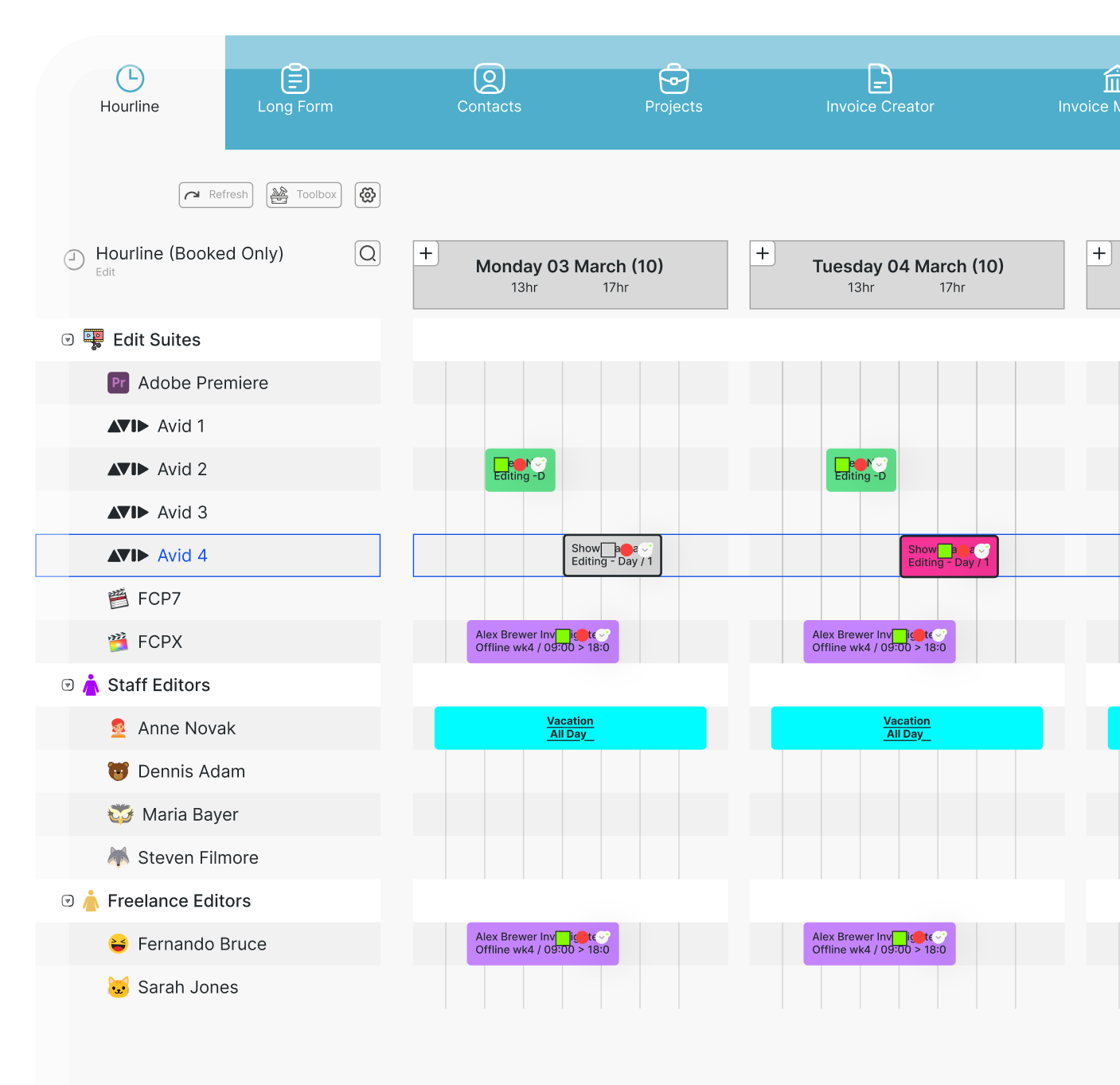
View resource bookings, availability and potential scheduling conflicts across customisable timelines. Production managers can quickly see what's happening and identify where changes are needed.
-
Flexible drag-and-drop scheduling
Move bookings, adjust dates and change durations directly within visual scheduling views. This makes it easier to reorganise productions when timings or requirements change.
-
Crew, equipment and facility management
Manage people, studios, editing suites and equipment together. Review availability and coordinate the resources needed for each production from one system.
-
Conflict management
Identify potential overlapping bookings and scheduling clashes before confirming changes, reducing the risk of double-bookings.
-
Connected budgeting and time reporting
Bring scheduling information together with time reporting and budgeting to maintain better visibility into production activity and costs.
-
Desktop and mobile access
With access via web, Mac, PC and iOS, authorised users can review production information wherever they are, whether in the office, working remotely or on location, without relying solely on a browser.
If a production runs late, farmerswife helps teams find alternative time slots, check editor availability and update bookings in one place. By connecting resource scheduling and production management, teams can stay organised and adapt quickly to unexpected changes.
Conclusion
Last-minute changes will always be part of media production. From unexpected crew absences and equipment conflicts to shifting deadlines and live broadcast adjustments, production managers need the flexibility to respond without losing control of their schedules. Scheduling automation helps teams adapt faster, reduce conflicts, improve resource visibility and keep production workflows moving.
By replacing disconnected scheduling processes with a shared system, media organisations can spend less time managing changes and more time delivering successful productions. With farmerswife, production teams can manage schedules, resources and project workflows together, making it easier to plan ahead and respond when things don't go according to plan.
Ready to take control of your production scheduling?
Discover how farmerswife can help your team manage complex schedules, coordinate resources and adapt to last-minute production changes.
- Real-time visibility
- Scales with your workflow
- Keep your crew connected on iOS
- Catch budget overruns before they happen
- Plan with confidence