
We’re excited to announce the release of farmerswife 7.3. This version focused on shift scheduling and collaboration, with a special spotlight on enhanced and new integrations and the evolution of the Objects Tree into Timeline— bringing more flexibility, better visibility, PDF printing and significantly improved performance.
Here’s what’s new!
New Objects Tree 🌳 to Timeline Transformation
This version presents the transformation of the new Objects Tree into Timeline, unlocking new ways to view and manage projects and resources. Load projects into the Timeline, PDF Print the displayed Project and / or schedule exports of your resources/views. Experience an enhanced filtering across Projects, Binders, and Bookings. Save a list of your favourite projects, easily drag and drop bookings across the timeline or view all booked objects in the "Second Window".
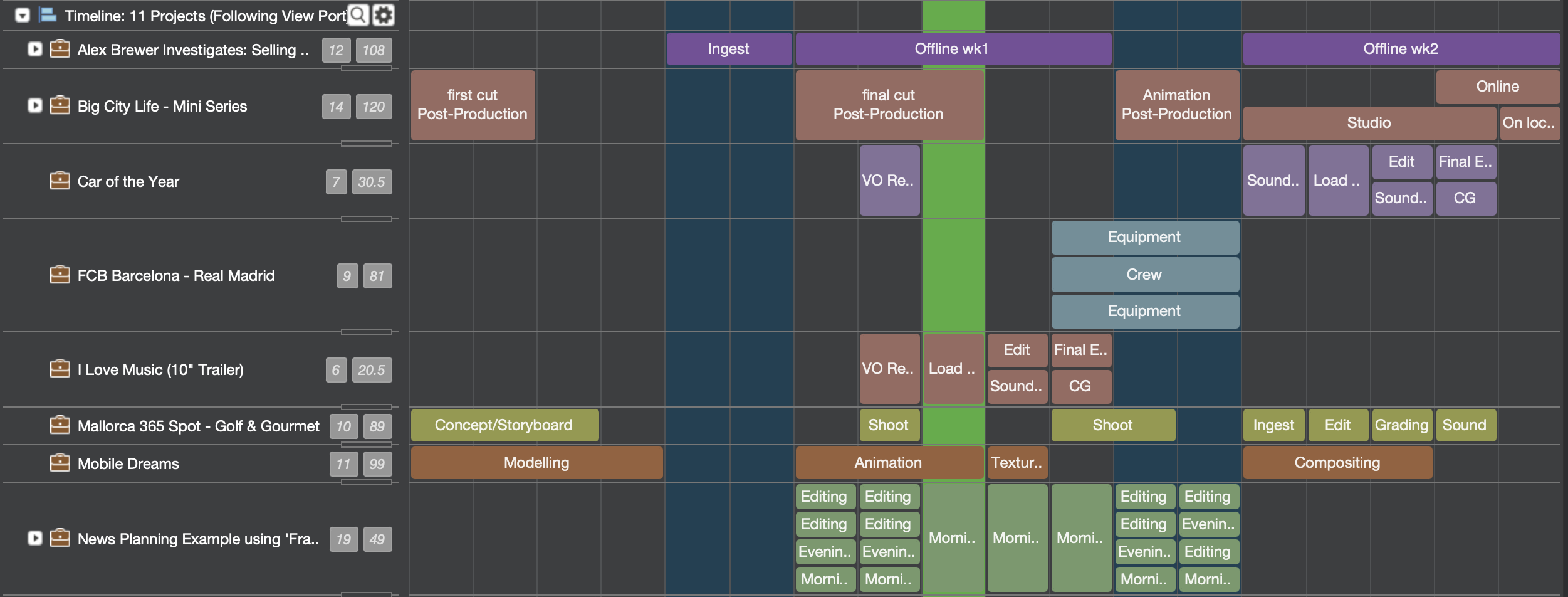
Expand/Collapse Hourline view groupings, load classes as groups into your views, get a grasp on class member events and utilisation.
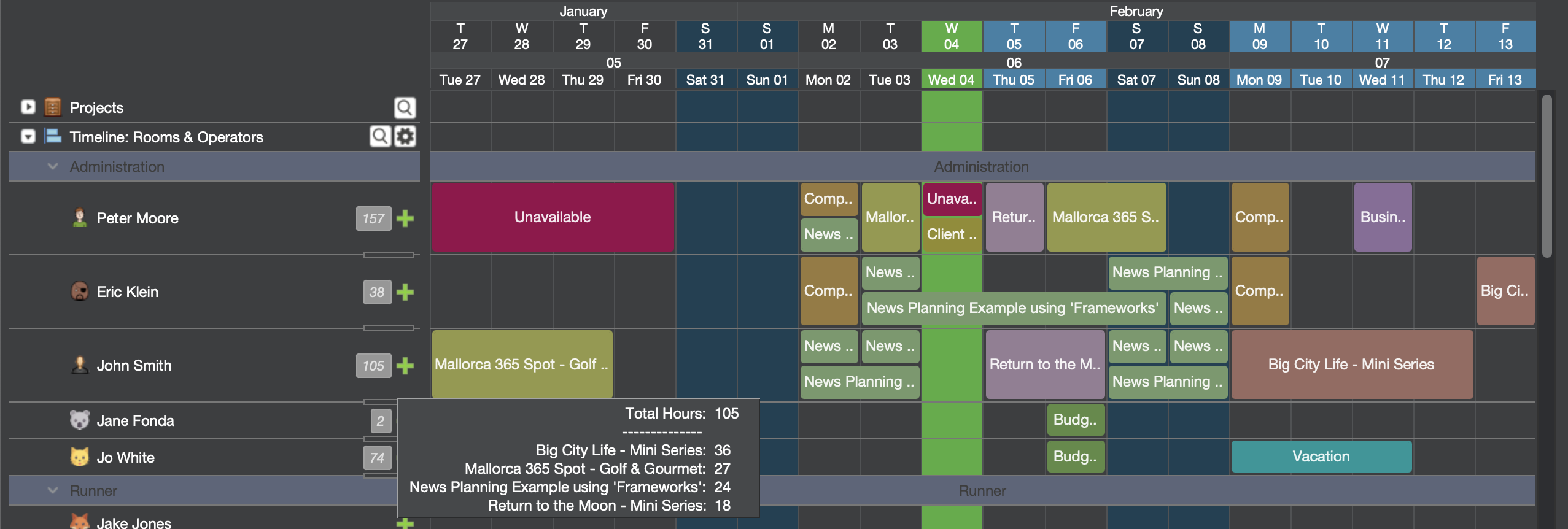
Multi-select Bookings and operate in bulk actions. Learn more!
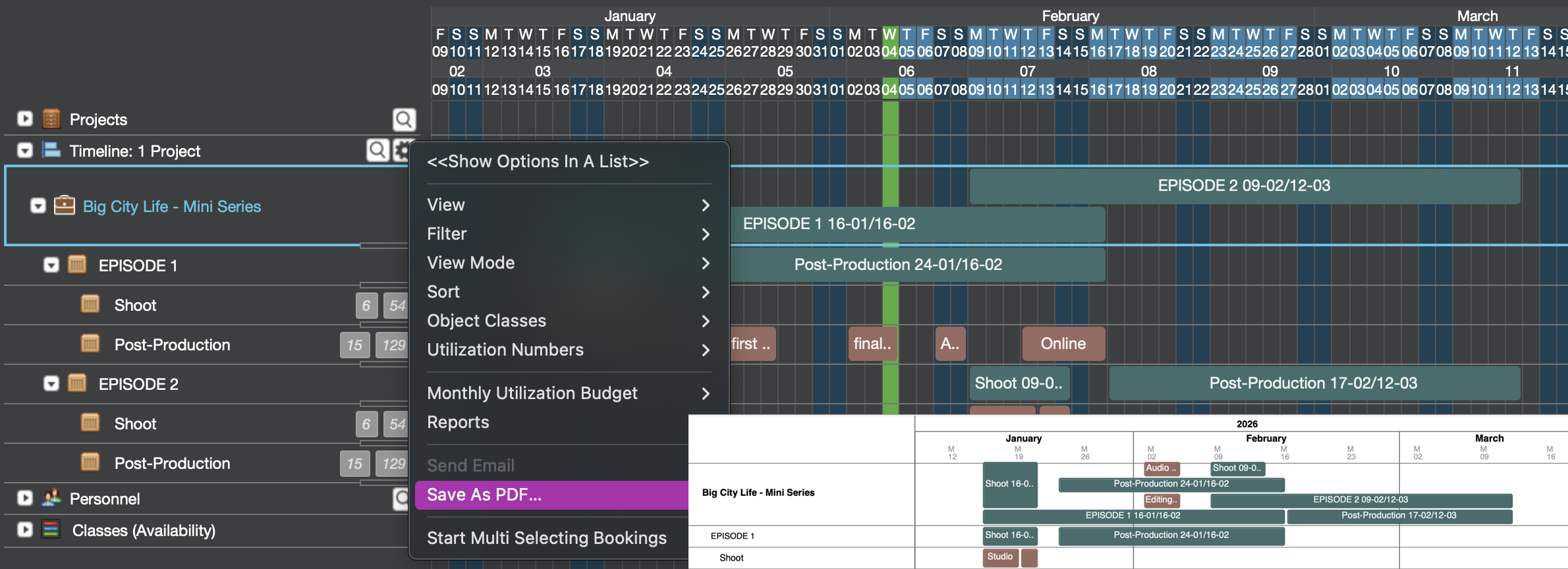
Save your Projects and Schedules as PDF
Load a view with resources or project into the Timeline, configure what information to view and include into the PDF print and use the new "Save As PDF" option to print the view to PDF. Learn more about all the options here.
🛠 Shift Patterns or Staff Rota Planning
Admins can now create Shift Patterns that automatically plot individually defined Shift Types over a defined time frame for all members of a class, with the option to restrict available Shift Types by Division.
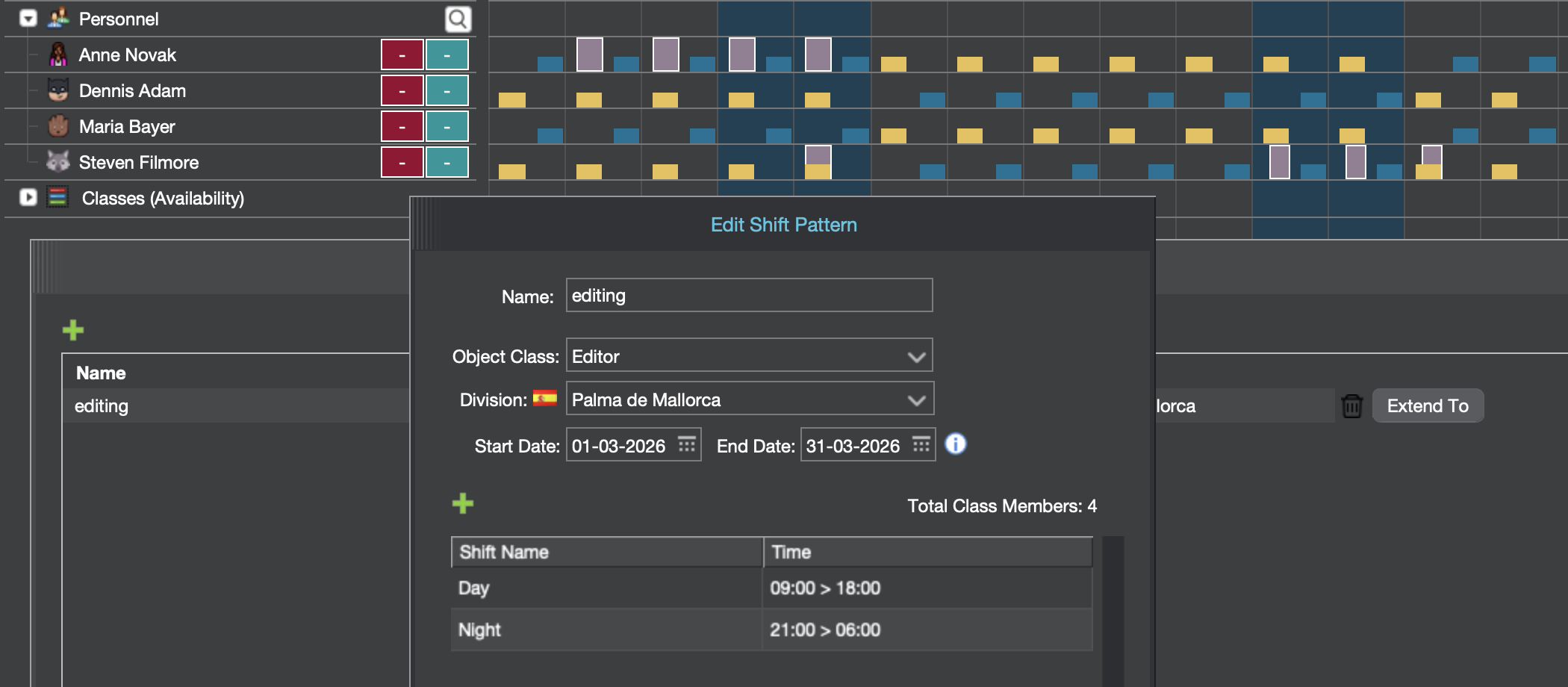
Key configuration options include the rotation pattern (Weekly or Daily), required shifts per member and per week, weekends off per month, minimum hours of rest between shifts, and whether to plot over existing personnel events or public holidays. Read more.
Introducing farmerswife Dashboards 📊
Configure your own Dashboards, displaying either Resource Utilization as vertical bar chart or present Invoice data via the Invoice Graph.
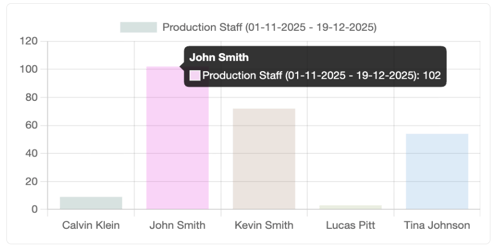
Learn how to setup Web Dashboards.
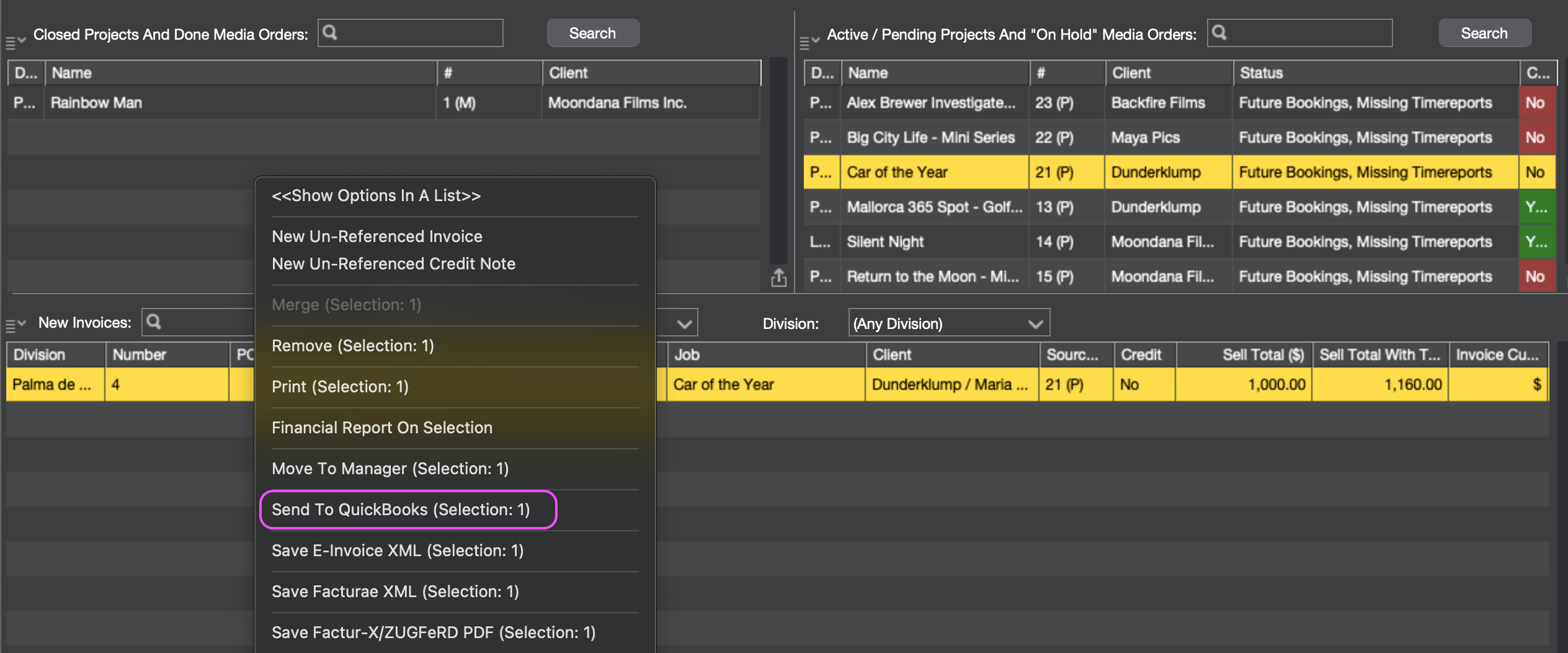
Sync 🔛 Invoices with with Quickbooks Online
Easily select and transfer invoices with a single click to a connected QuickBooks Online account using a secure OAuth2 connection. Map your farmerswife clients to QuickBooks customers, send invoice data directly based on mapping configuration, and keep your financial records in sync without manual exports or double entry — so your finance teams and producers always work from the same up-to-date numbers. More details about the QuickBooks Online integration can be found here.
eInvoicing Exports 📁
farmerswife now offers to export invoices as XML files to be EU eInvoicing compliant by supporting the following formats:
- EN-16931 → UBL 1.3.15 → Peppol BIS Billing 3.0 compliant XML format.
- Facturae (Spain)
- Factur-X/ZUGFeRD EN 16931
Check out this article about the new Invoice Export options.
🔍 Faster, More Powerful Project Search
The Advanced Project Search has received some updates including:
Users can now save and load searches, preserving filters, column layouts, and sorting preferences for quick access later. Bulk editing of Project Custom Fields is now supported, allowing teams to update multiple projects at once.
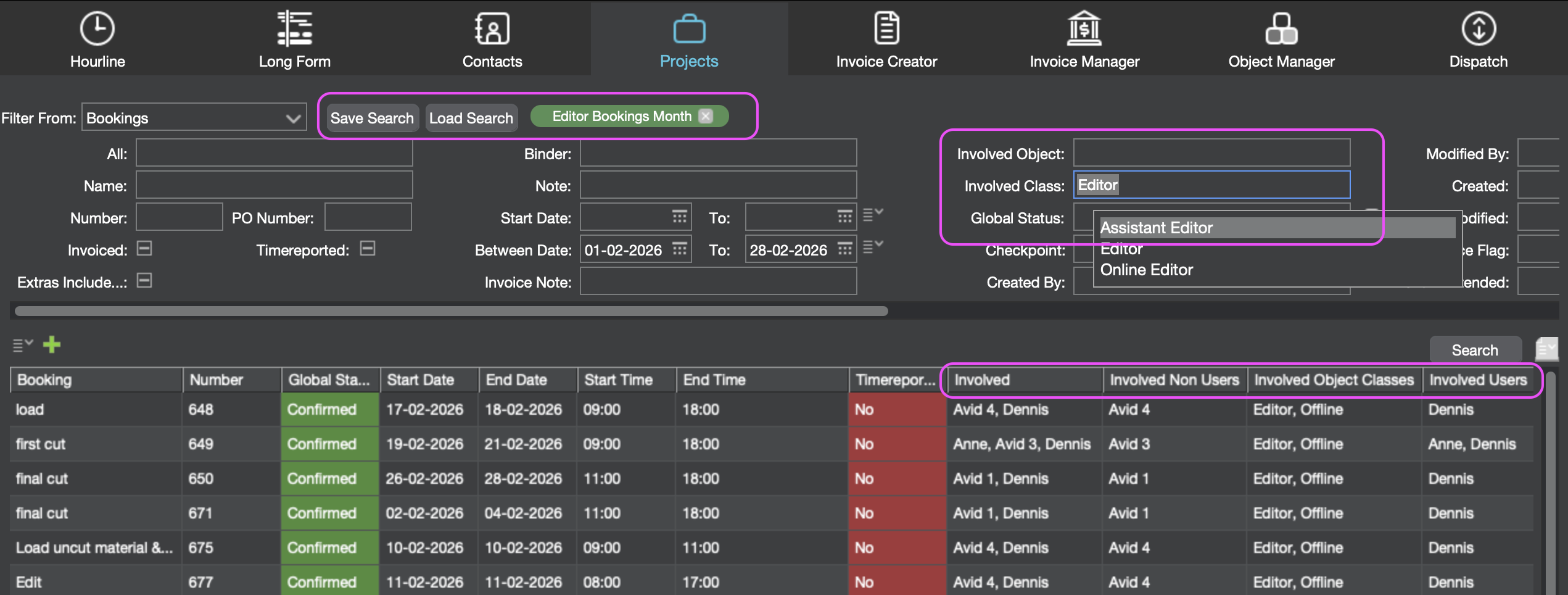
Search capabilities have also expanded to include involved objects and classes, making it easier to locate bookings tied to specific resources. A new Services column adds visibility by displaying the count of service lines connected to each project—all backed by faster and more responsive search performance.
Finding the right project information is now quicker and more flexible than ever.
📈 Usability & Everyday Enhancements ☀️
It's also the small things that can make a difference, so in 7.3 we've added a wide range of quality-of-life improvements, including:
-
Adjustable 👓 font size for entry and text fields. Change this in your Desktop Client Settings.
-
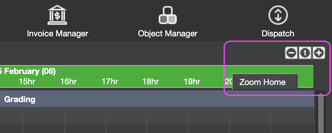
New! Hourline zoom and horizontal scrolling
-
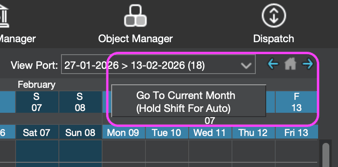
Enhanced Long Form View Port navigation; extend the viewable time frame with shift and clicking the new arrow keys
-
Bulk editing for Contacts for easy contact registry updates
-
A new Project and Dispatch History with spreadsheet export makes auditing efforts easier
-
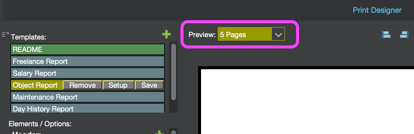
Preview Pages in Print Designer for easier report layout tweaking and better performance. Just view 3 or 5 pages in the preview but when printing or saving as PDF all pages will be processed.
Ready to Explore farmerswife 7.3?
We’re excited to see what this version brings and look forward to seeing how it supports your teams in planning, producing, and delivering work even more efficiently.
As always, thank you for being part of the farmerswife community—and stay tuned for what’s next!
Want the Full Breakdown?
Be sure to check the complete release notes for all updates, fixes, and technical details included in 7.3.